NEW IN VERSION 2.3
Hang with Friends.
See who hung today.
Hang alone. Show up together. Start a Hangout, invite your crew in Messages, and see who hung today.
Free download · Hosting is a one-time unlock. Joining and solo tracking are free.
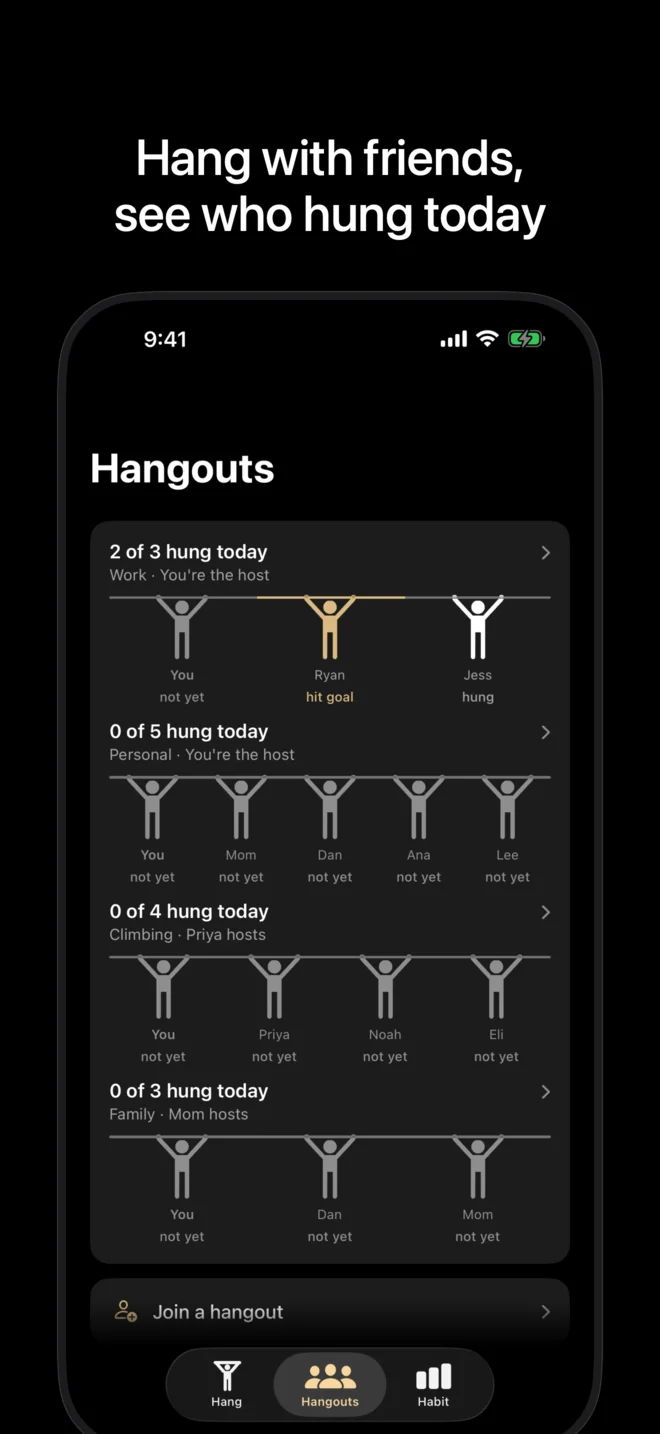
Host a Hangout.
Tap Host a hangout and give it a name. Hosting is a one-time unlock. Joining and solo tracking are free. One purchase covers every Hangout you host.
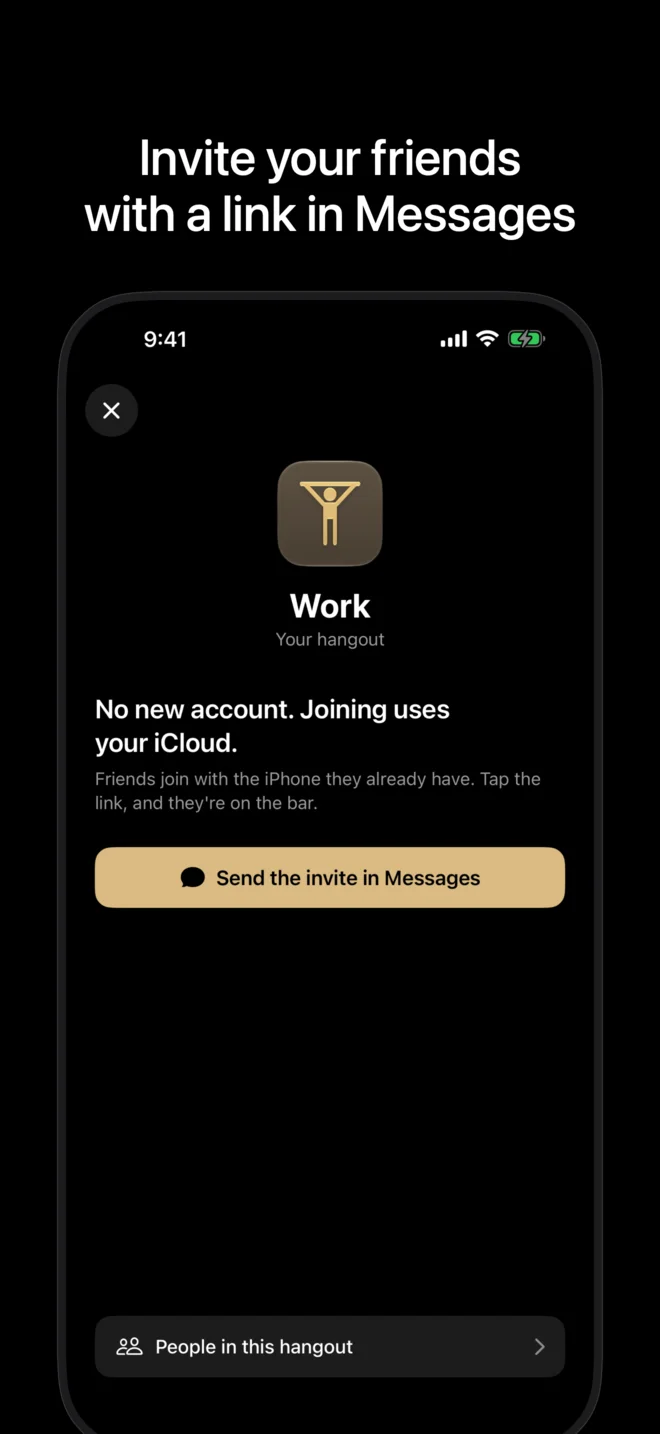
Invite friends in Messages.
Send the invite in Messages. Friends need the Hang Habit app to join. No separate Hang Habit account is needed. Hangouts require you to be signed in to iCloud.
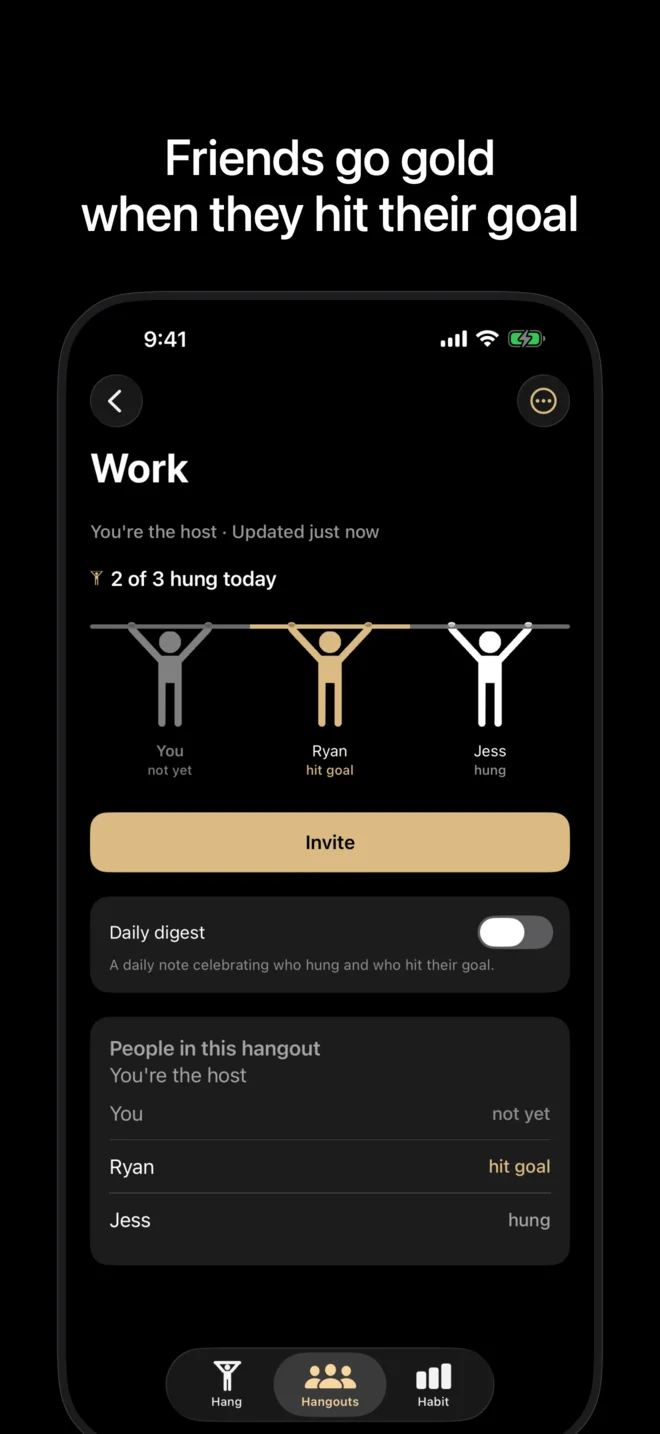
See who hung today.
See who hung today and who hit their goal. Each person’s row says “Hit today’s goal”, “Hung today” or “Hasn’t hung yet today”, and friends go gold when they hit their goal.
What’s shared, and what isn’t
Read how Hangouts use iCloud sharing in the Privacy Policy, and the name rules and Hangout controls in the Terms.
Questions
Who pays?
Hosting is a one-time unlock. Joining and solo tracking are free. Host a Hangout is a one-time in-app purchase for the host, not a subscription, and one purchase covers every Hangout you host. Family Sharing applies. Check the App Store for the price in your region.
What do friends see?
Everyone in a Hangout, including the host and people invited later, sees each person’s name, whether they hung today and whether they hit their daily or weekly goal. Hang durations are not shared automatically in Hangouts. You can choose to send a time in Messages.
What do friends need?
An iPhone with the Hang Habit app installed and iOS 17 or later. Tapping an invite without the app installed does nothing, so friends get the app from the App Store first. No separate Hang Habit account is needed. Hangouts require you to be signed in to iCloud. Hangouts are for people 13 and up.
How many people can join?
Hangouts work best with up to 10 friends.
Do Hangouts work on Apple Watch?
Hangouts are on iPhone; they are not in the Apple Watch app or widgets. Watch timing is a separate feature. Your status updates after each hang, when iCloud is reachable.
Can I leave or block someone?
Yes. A member’s Block hides that person in Hang Habit on their own phone. If you host, Block and remove also requests the person’s removal from that Hangout. Anyone can request to leave; leaving needs iCloud to confirm, and previously shared copies may remain. The Privacy Policy and Terms explain the details.
Hangouts are on iPhone and need iOS 17 or later, iCloud, and the Hang Habit app for everyone who joins. Get support